
Servers

Servers

Server supply and installation service

Servers for any size company or organisation

With all the cloud computing solutions out there, physical on-premise servers are becoming less and less popular. However they still have their place. Not every cloud solution is the best most economical way of achieving an organisation’s needs.

Physical on-premise servers can provide faster local network access, you may have a bespoke application not designed to run in the cloud, or simply you want to keep everything in house.

That said, you can also have a hybrid solution, where users are synchronised with on-premise servers and your Microsoft 365. Bringing together the best of both worlds.
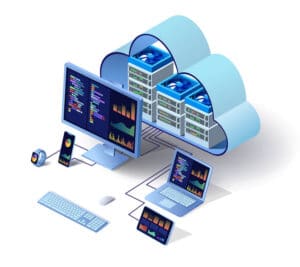
Business cloud services Wakefield

WHAT IS A SERVER and do i need one?

An on-premise server is a physical peace of equipment that centralises resources on a network. These “resources” are usually files what people want to share access with each other, in other cases a server could be controlling particular software. Servers, in most cases, are like big power full computers designed to run 24/7.

Having data stored centrally makes it easier to organise, manage and backup.

Servers can also control who as access to what and when, even down to logging in to a PC. If you don’t need this level of access control, but still want to share files, there are other options available without the expense of a server.

We can help you decide what is best for your organisation and budget.

Server supply, installation and monitoring process

Free Quotation

After some consultation we will provide a quotation based on your requirements. Along with time scales and a structured installation plan.

Server Build

Build and preparation work is done in our workshop prior to site installation to minimise disruption to your organisation.

Server Installation

Site installation is usually staged, especially if replacing some other equipment. Most of the work can be done remotely to minimise disruption.

Server Monitoring

We will then give you 30 days installation support, after which you can take an optional support & maintenance agreement, or you can manage it yourself.

Benefits of a server support and maintenance agreement:

  • Support – On going server support and assistance.
  • Admin tasks – Setting up users, changing permissions, resetting passwords.
  • Monitoring – Server health, uptime and backups.
  • Patch Management – Installing security updates, scheduled out of hours restarts.
  • Preventive Maintenance – Applying fixes to issues before client awareness.
  • Service Level – Priority response to mission critical issues.
  • Where is the best location to have a server?

    In a clean, dry, well ventilated area, that is not going to be higher than room temperature. But more importantly somewhere it's secure like a locked room or a server cabinet.

  • How is it backed up?

    We recommend two forms of backup. Onsite and offsite. Onsite using USB Hard Disks or Network Attached Storage. Offsite using a remote backup service.

  • Why both onsite and offsite backups?

    Onsite backups will provide you with a quick restore for the day to day needs. Where was offsite is recommended in the event of a catastrophic site event like fire or theft. Restores from offsite are much slower.

  • Can I have the server in my office?

    Depends on the server. Some of the more powerful ones make a lot of noise and generate a lot of heat.

  • What other options are there to a physical server?

    - If you are a Microsoft 365 user we could advise on using Sharepoint or Azure servers in the cloud. - Or other cloud based server solutions. - If you don't need the access control level, you could just have a Network Attached Storage device or use a "main" PC for as a file storage device. We will advise you on the pro's and con's of all options.

Get a quote for your company

Simply fill in the form below and we will get back to you with a no obligation quote.